
Our Blog

What is Markdown and how can I use it in StudyTeam?
February 21, 2025Learn how to use Markdown in StudyTeam to easily format text, create headers, emphasize text, and organize lists.
How to print reports from StudyTeam
February 20, 2025Learn how to print reports from StudyTeam using screenshots on Mac or Windows. Follow our easy guide to capture and print your data efficiently.
What does the “Sponsor Connected" and "Sponsor Not Connected" label mean?
February 20, 2025Learn how connecting with your sponsor through StudyTeam can streamline recruitment, enhance communication, and save time for your site staff.
Determine Eligibility of Potential Patients with Inclusion and Exclusion Checklists
February 20, 2025Streamline patient pre-screening using StudyTeam's digital I/E checklist, enhancing organization and efficiency in determining trial eligibility.
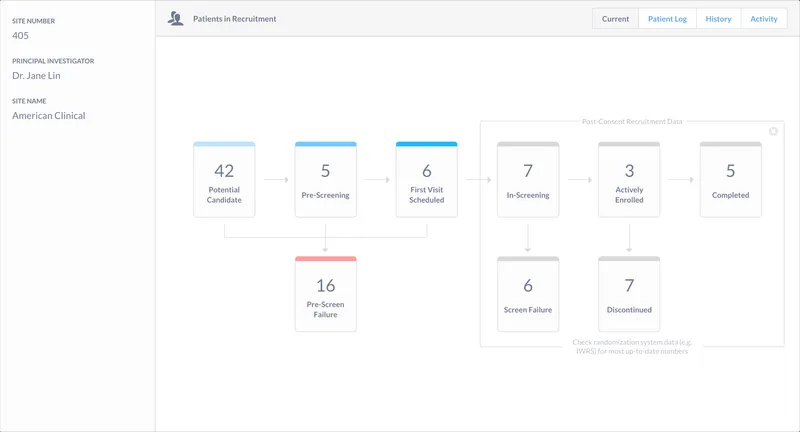
What information do sponsors have access to?
February 20, 2025Discover what information sponsors can access, including patient recruitment data and activity history, while ensuring patient names remain confidential.
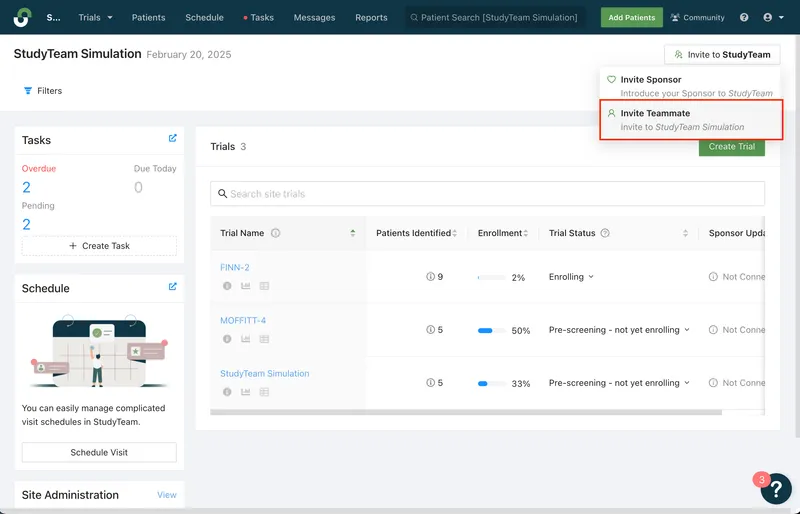
How to Invite a Teammate to StudyTeam
February 20, 2025Learn how to easily invite a teammate to StudyTeam by following a few simple steps on the platform's Site Administration page.